free & open sourceno telemetry, nothing behind a paywall

One DB client to replace them all.

Gets out of the way of you and your data. GPU Accelerated, no Electron, no JVM, no Tauri, fast, memory efficient and snappy on datasets where others crash

macOS .dmg·Windows .zip·Linux .tar.gz·AppImage

# macOS, with Homebrew
brew install --cask ShayanAbbas1/dbdelve/dbdelve
# Arch Linux, from the AUR
yay -S dbdelve-bin
# More ways and the one-time macOS step are under Install.
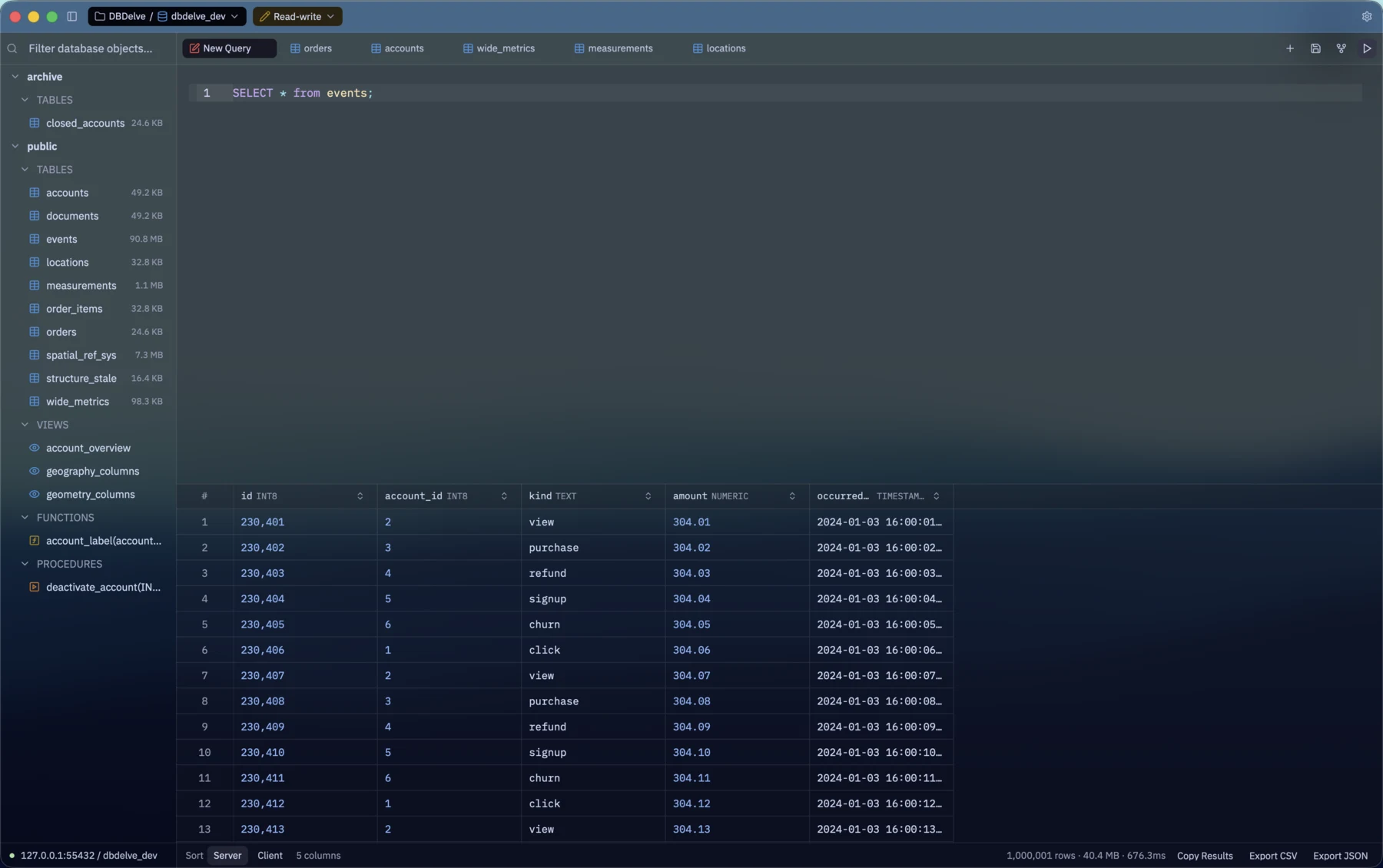
DBDelve in a blue glass theme: a schema tree on the left, a SELECT on the events table in the editor, and a result grid of 1,000,001 rows below it.

Why −40 m

Stop paying for your DB Client, with cash or with speed.

I wanted something which is performant, modern and consumes little RAM. The existing DB clients are either filled with bloat (Electron and JVM) or paid. This is an alternative to them.

No feature is ever going behind a paywall.

  • PostgreSQL
  • MySQL
  • MariaDB
  • SQLite
  • Snowflake
  • SQL Server
  • MongoDB
  • more engines planned

In action −120 m

Speed.

SELECT * from events; brings back all of them, and the grid keeps up while you scroll.

The same table in DBeaver.

DBeaver 25.3.1, same database, same events table. It reads the rows, then sits on "Set data" with the spinning wait cursor for about twenty seconds. The grid never fills before we switch back to another tab.

Trimmed, played at real speed.
Instant tab switches.

Flicking between six tabs, one of them the million-row SELECT. Each tab keeps its last result, so its rows are there the moment you land on it. Nothing reruns.

Features −300 m

What it does.

Everything listed here works today.

DBDelve features
feature TEXT detail TEXT
1 Make it yours A theme library with DBDelve's own Dark, Light and Black alongside Catppuccin, Tokyo Night, Gruvbox and Dracula, most also in translucent glass. Customize themes, keymaps, sort behavior and a lot more!
2 Bring your connections Import every saved connection, passwords and SSH settings included, from DBeaver on macOS, Linux and Windows, or from TablePlus on macOS.
3 Keep connections tidy Organize your connections into projects.
4 Never mistake prod for staging Every connection keeps its own tabs, schema tree and history, and wears its own color in the title bar. Run it read-only, read-write or with full access, and DBDelve asks before anything destructive.
5 Pick up where you left off DBDelve maintains snapshots of your data and starts right from where you left off, instead of rerunning queries.
6 Edits you can read first Change a cell in place and DBDelve writes the UPDATE into the editor for you to check before it runs.
7 Keyboard-first A command palette for everything, fuzzy search across your schema, and every shortcut rebindable.
8 Your SSH, not a reimplementation Tunnels run through your own ssh, so your config, agent and hardware keys just work.

Closer look −450 m

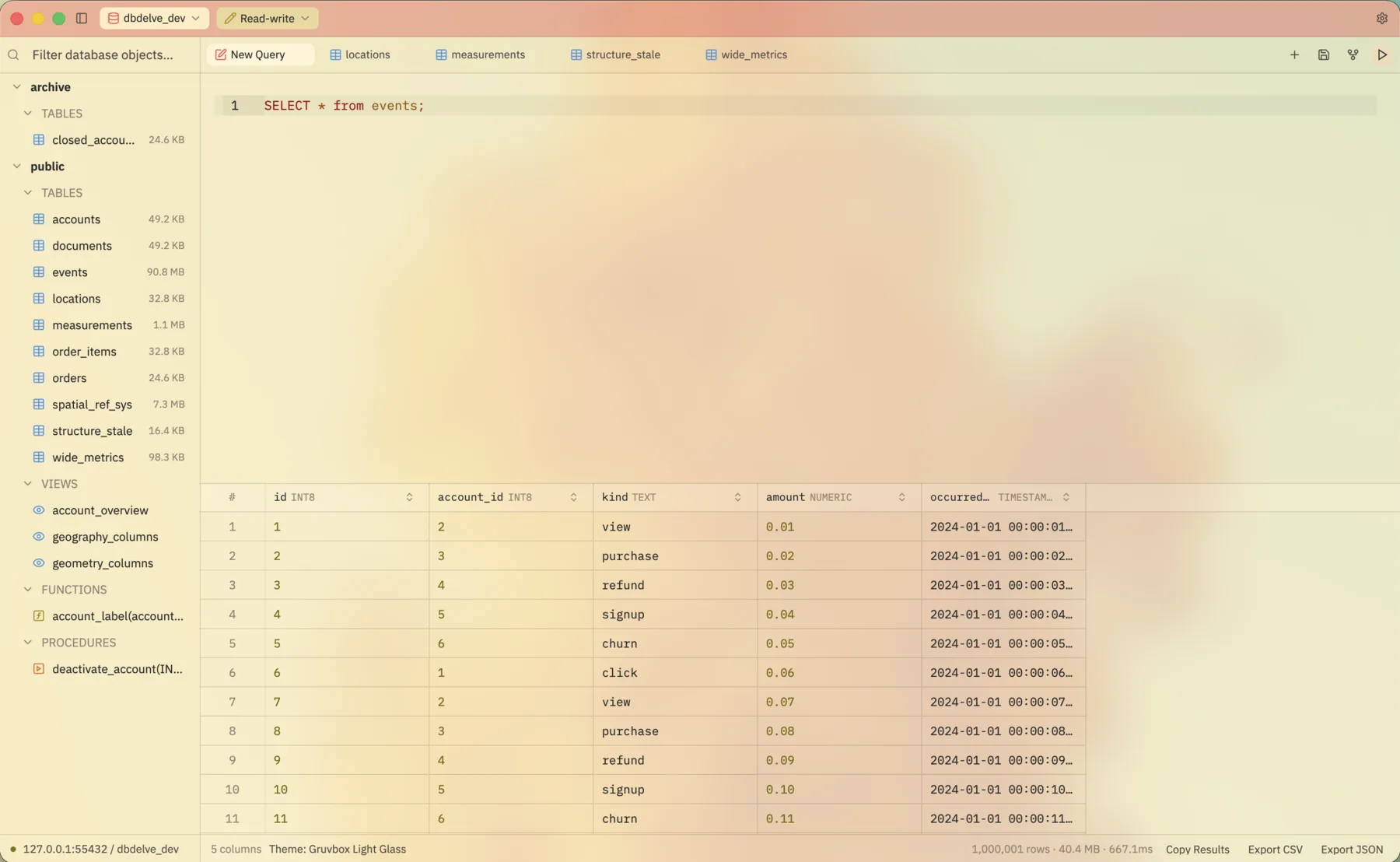
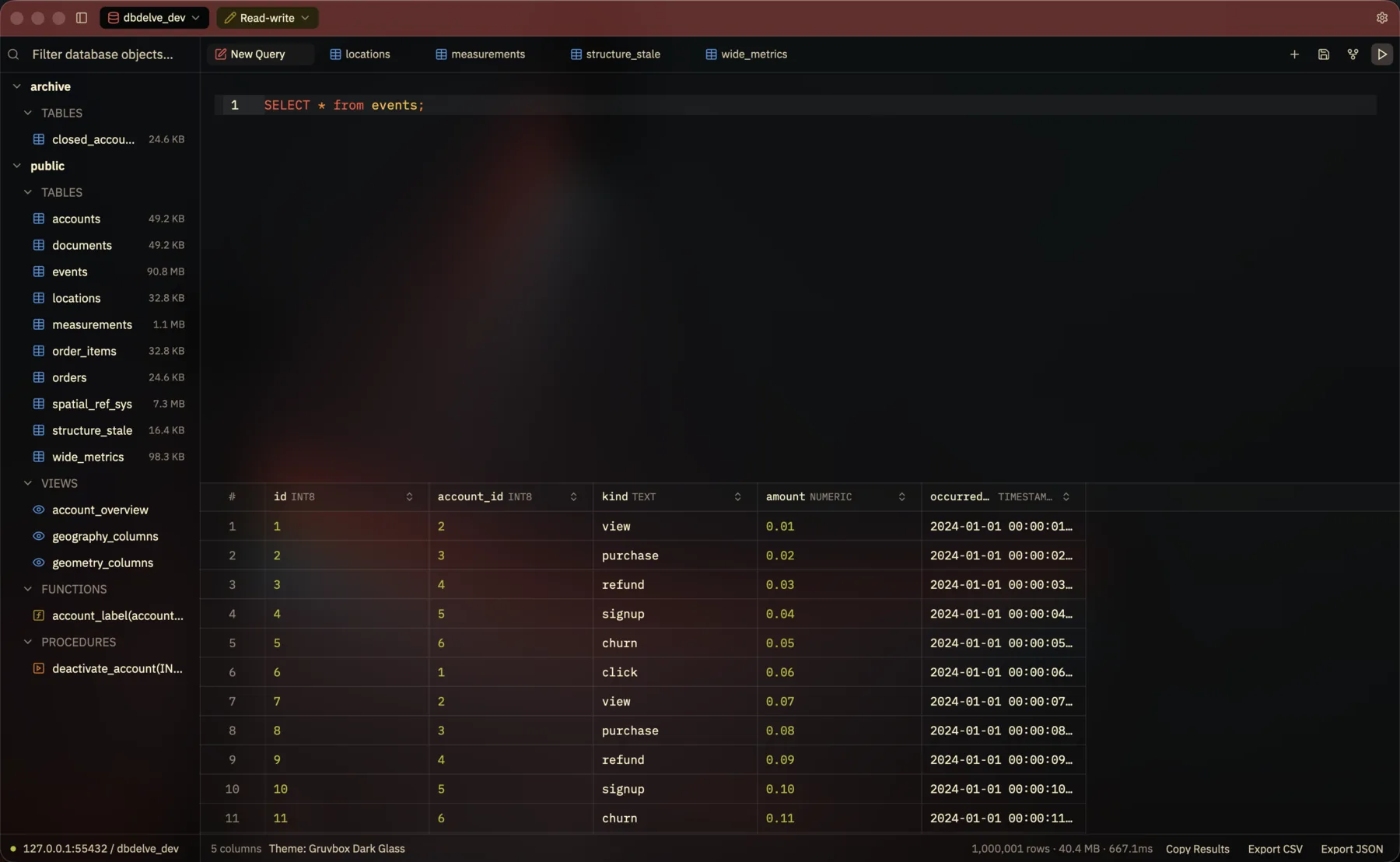
Dark or light, glass or solid.

The same window in Gruvbox Dark Glass and Gruvbox Light Glass. Drag across it.

DBDelve in Gruvbox Dark Glass
The same window in Gruvbox Light Glass
  • DBDelve Dark
  • DBDelve Light
  • DBDelve Black
  • Catppuccin
  • Tokyo Night
  • Gruvbox
  • Dracula

Edits you can read first.

Change a cell and the UPDATE lands in the editor. Read it, then run it.

Install −700 m

Get it running.

macOS, Linux and Windows builds come with every release.

macOS

# Homebrew is the recommended way. It installs and upgrades.
brew install --cask ShayanAbbas1/dbdelve/dbdelve
# It's signed ad-hoc, not notarized, so Gatekeeper refuses the first launch.
# Clear the quarantine flag once per install (an update is a new install):
xattr -dr com.apple.quarantine /Applications/DBDelve.app

Or take the .dmg and drag DBDelve to Applications. Apple Silicon, macOS 12 or later.

Linux

# From the AUR, packaged by @0PandaDEV. Thanks!
yay -S dbdelve-bin
# Or the tarball from the latest release. Installs under ~/.local, no root.
tar xzf dbdelve-*-linux-*.tar.gz && cd dbdelve-*-linux-*/ && ./install.sh
# Or the AppImage, one file that runs where it lands.
chmod +x dbdelve-*.AppImage && ./dbdelve-*.AppImage

x86_64 and aarch64, built on Ubuntu 22.04. Tarball · AppImage · full notes

Windows

  1. Download dbdelve-<version>-windows-x86_64.zip
  2. Unzip it wherever you like.
  3. Run dbdelve.exe. There's no installer.

x86_64.

Found a bug? Missing an engine?

Come say hi on Discord, or open an issue on GitHub. It's early days and feedback shapes what comes next.