| 1 |
Make it yours |
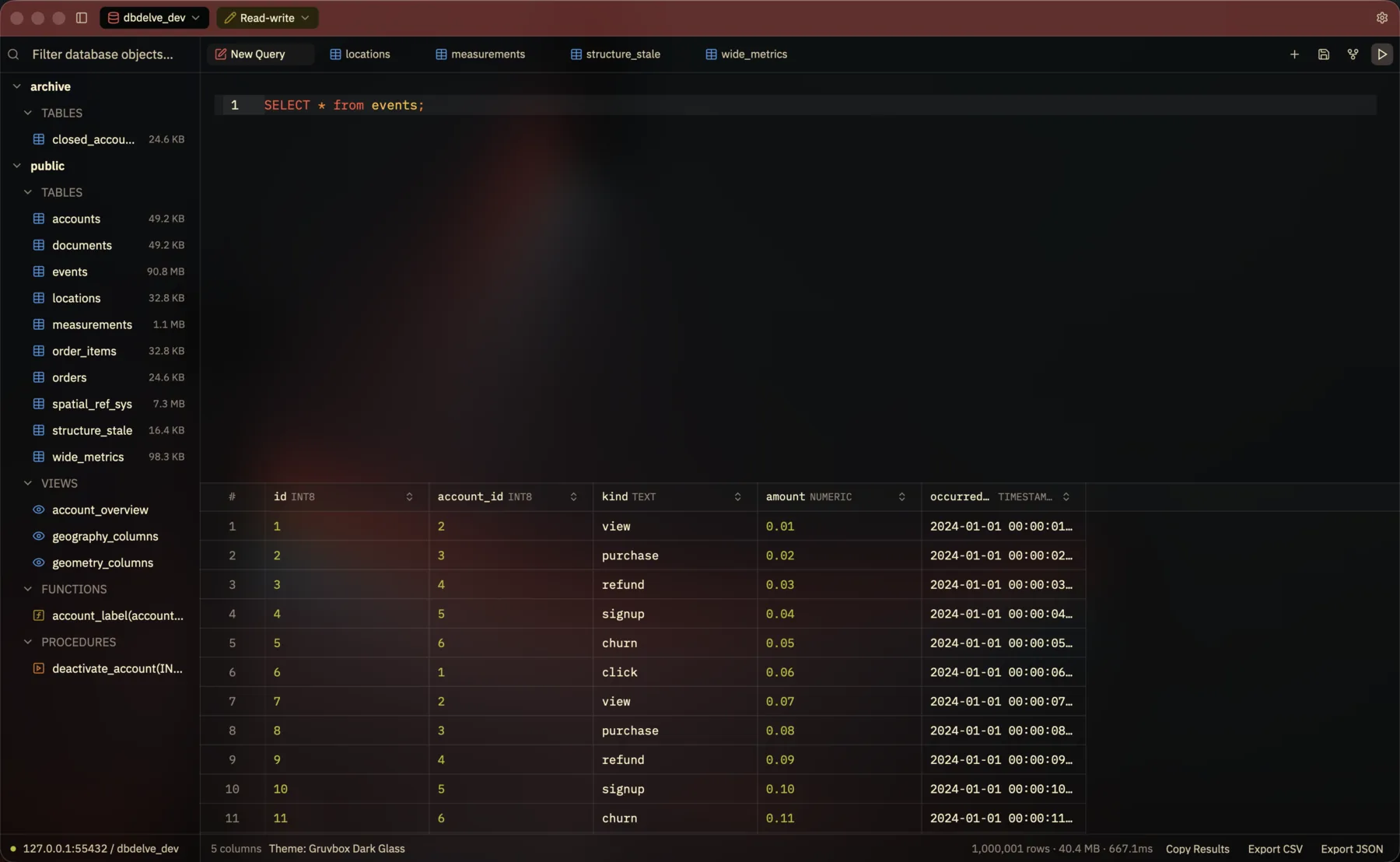
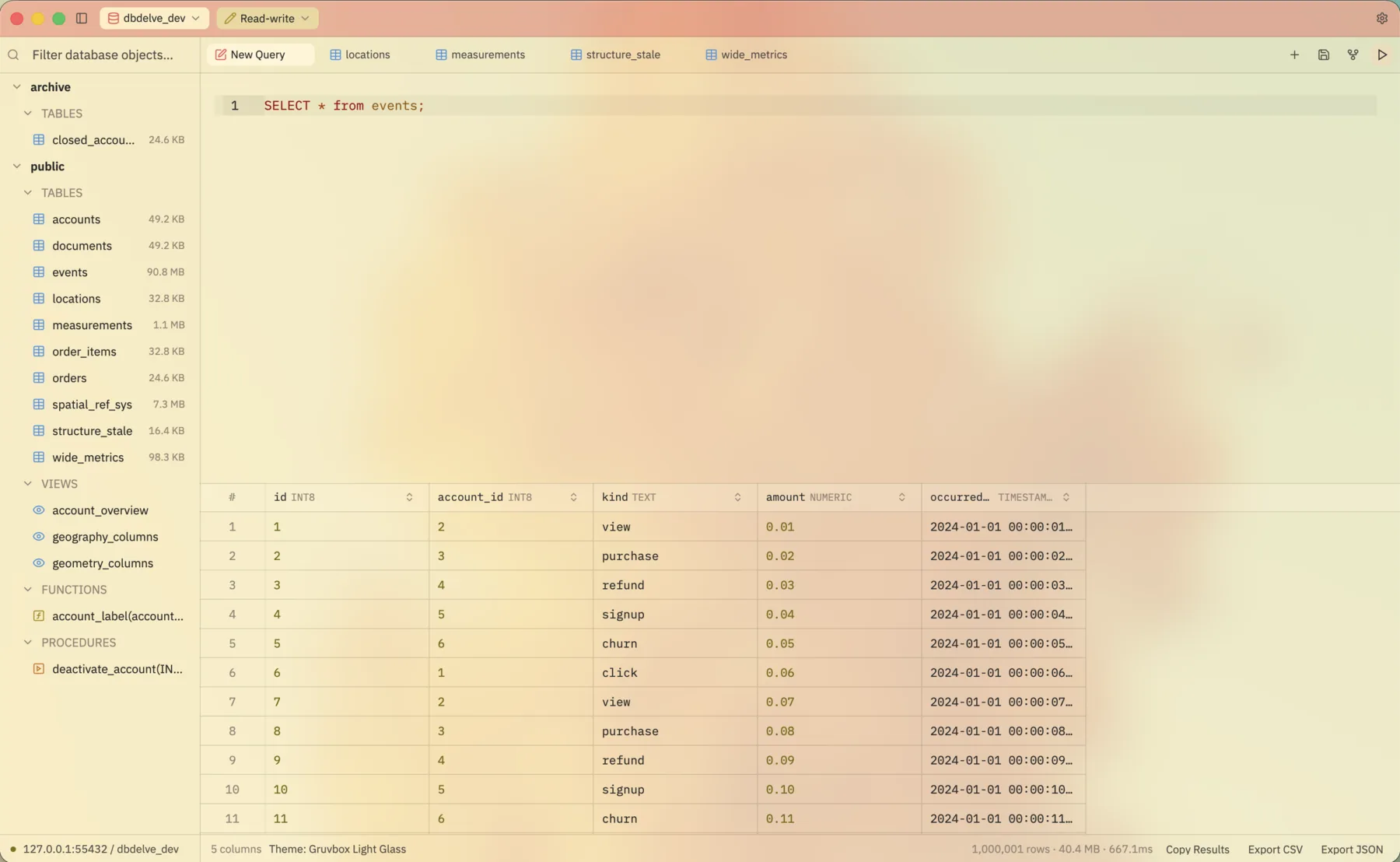
A theme library with DBDelve's own Dark,
Light and Black alongside Catppuccin,
Tokyo Night, Gruvbox and Dracula, most
also in translucent glass. Bring a theme
over from Zed or VS Code, or write your
own, and customize keymaps, sort
behavior and a lot more.
|
| 2 |
Bring your connections |
Import every saved connection, passwords
and SSH settings included, from DBeaver
on macOS, Linux and Windows, or from
TablePlus on macOS. Then sort them into
projects.
|
| 3 |
Never mistake prod for staging
|
Every connection keeps its own tabs,
schema tree and history, and wears its
own color in the title bar. Run it
read-only, read-write or with full
access, and DBDelve asks before anything
destructive.
|
| 4 |
Pick up where you left off
|
DBDelve maintains snapshots of your data
and starts right from where you left
off, instead of rerunning queries.
Hidden and pinned columns and query
plans come back too.
|
| 5 |
Edits you can read first |
Change a cell in place and DBDelve
writes the UPDATE into the
editor for you to check before it runs.
Query results from one table, key
included, take edits and new rows as
well.
|
| 6 |
Keep the columns you need
|
Hide the rest, or pin a column to the left
edge so it stays put while you scroll. The
layout is still there after a restart.
|
| 7 |
Read a row in full |
Open the row panel to see every value in
a row at full length, with JSON
highlighted. Switch it to Edit to change
a long value there instead of in a cell.
|
| 8 |
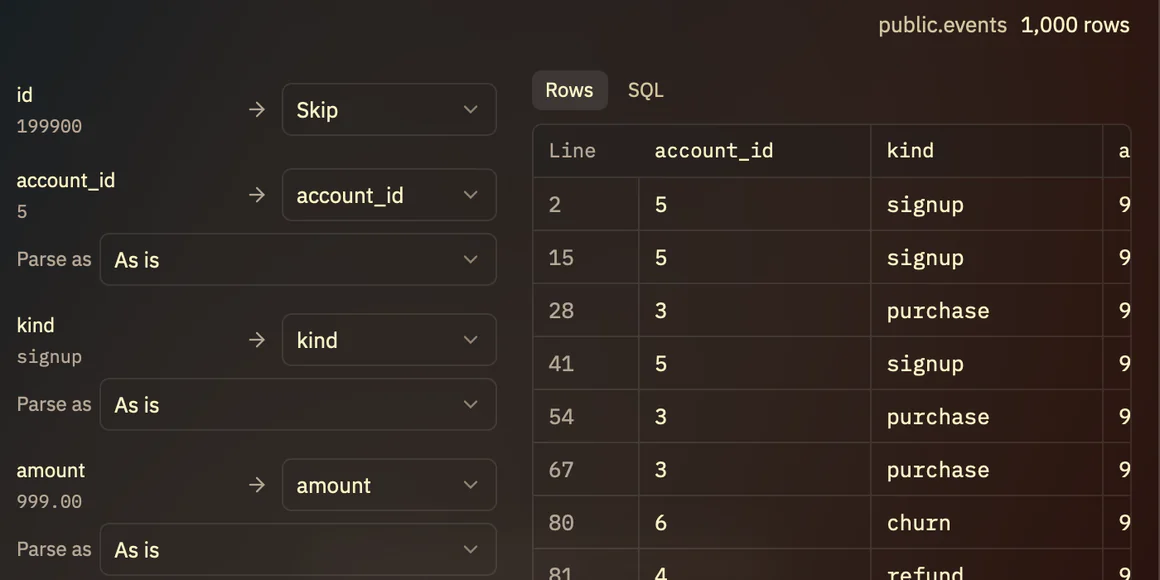
Import rows from a file |
Load a CSV, TSV or JSON file into a
table or collection. Every row is
checked, and every statement shown,
before anything runs.
|
| 9 |
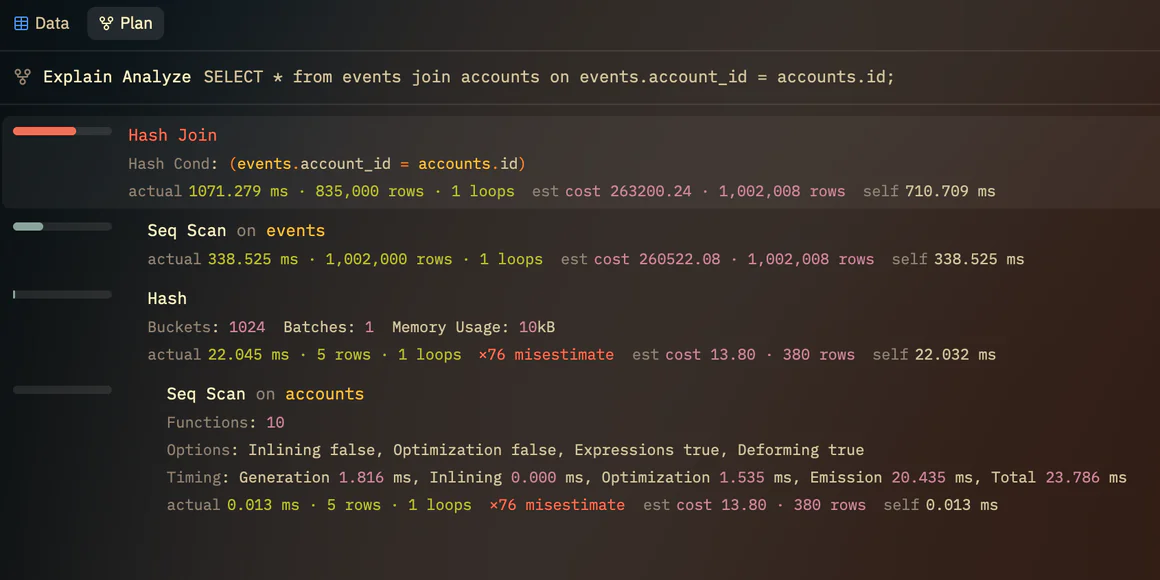
See the query plan |
Run Explain, or type an
EXPLAIN yourself, and the
plan opens highlighted in a pane of its
own, with wasteful filters and bad row
estimates called out.
|
| 10 |
Open the structure |
Open a table's columns, indexes,
constraints and foreign keys, both ways,
as a grid in a tab of its own. Switch
database from the title bar, and on
Postgres and Snowflake the schema too.
|
| 11 |
Keyboard-first |
One palette for commands, tables, saved
queries, history and your connections,
with fuzzy search throughout and every
shortcut rebindable. Settings are
searchable too, docked beside your work.
|
| 12 |
Your SSH, not a reimplementation
|
Tunnels run through your own
ssh, so your config, agent
and hardware keys just work.
|